
Next case study
Personal ProjectSistema
View Case Study
Scenario planning doesn't have to be lonely.

TL;DR
I was hired to join a new team at Tableau tasked with building a new product for scenario planning. I identified a common schema for scenario planning models, designed a visual model editor that could show the underlying structure and relationships of the model and paired that with automatically generated visualizations optimized for comparing outcomes and making informed decisions.
My Role
As a Product Design Lead, I led design for this project, and did the bulk of the design work with support and collaboration from the Tableau UX team.
Outcome
By designing, building and testing early prototypes we confirmed our hypotheses around model structure and the market's need for more collaborative features and secured approval to increase hiring and announce this product at our annual convention.
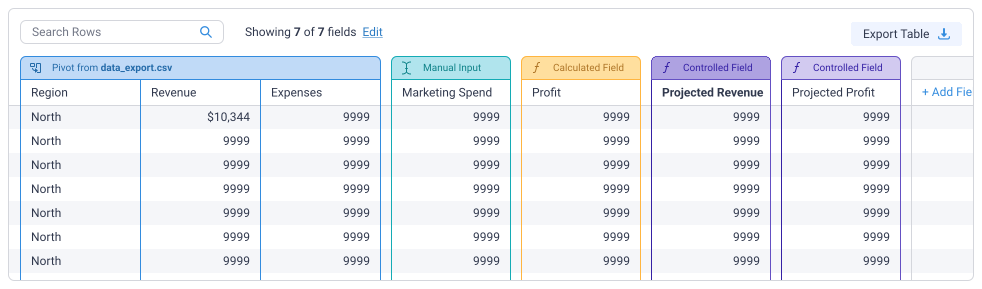
Today, scenario planning like this mainly happens in Excel. A model could be built from some historical data, some projections calculated from that historical data, and some parameters representing the elements of the decision which are under your control.
In practice this looks like, given last year's marketing spend and sales, if we change our marketing spend how will that affect sales revenue? In a real-world situation a model could be much much more complex, having many more columns, rows, and parameters. It could even have an array of sheets, each more complex than this example.
Look, spreadsheet software is great, but it's built for practically any use of tabular data. In interviews we repeatedly heard that the complexity of undertaking a planning exercise in Excel slows down and complicates the process, making the work less accessible, and making it harder for teams to get results. We heard that often the work is isolated to a single team, or even a single employee. Without limits or guidelines, the models are unintelligible to potential collaborators, formulas within them are fragile and difficult to trace. Additions and revisions were bottlenecked and collaboration was impossible.
We found that there was a common schema to the sorts of spreadsheet models our prospective users were building, some parts of which could be built, however clumsily in Excel. Some other frequent structures of these models simply didn't exist at all in Excel. This was an obvious area of opportunity to improve usability for scenario planning.
To build a product that opens up scenario planning to an entirely new group of users, we need to make it easier to build and instrument models, and we need to make it easier to visually compare scenarios and make informed decisions. These two areas of our users' journey are equally essential to the success of the project.
Excel is a powerful product, we would never succeed by trying to build a better Excel. We need to take advantage of our more focused use case to produce an easier, more guided UX with a meaninfully shorter learning curve.
It's all well and good to make things “Simpler” but we needed to understand what was most important to our users work, because if we were missing those “table stakes” features, we will fail.
There's no scenario planning without a model. How do we balance the need for flexibility and customization with the need to make models easy to author, understand and interact with?
Authors require a robust set of calculations, aggregations, and data manipulations, but no matter how complex the model, collaboration isn't possible unless a collaborator can drop in and understand what they are seeing.
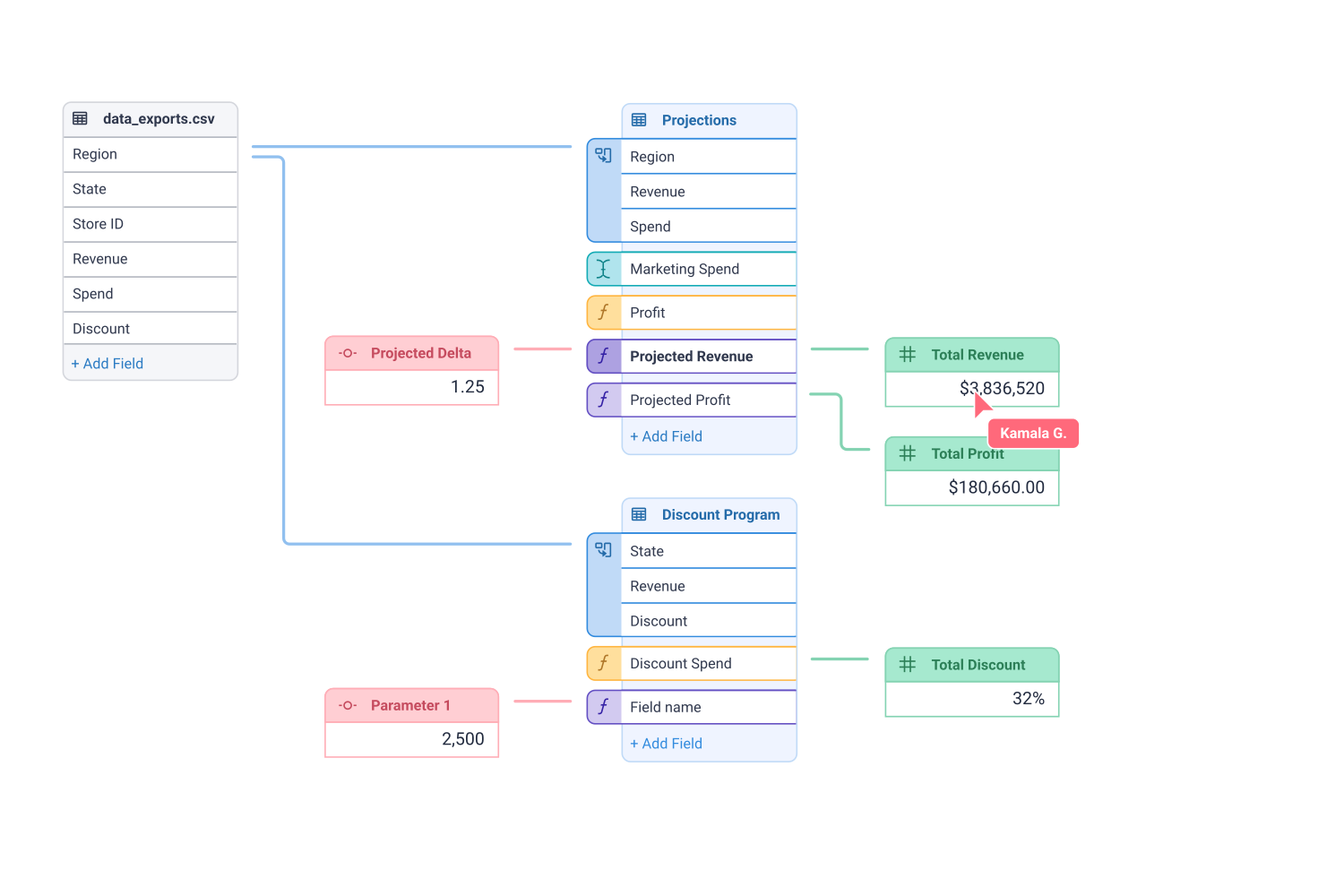
One of the main obstacles to more people building and collaborating with scenario planning models is that they are usually almost impossible to understand unless you built it yourself. What was missing was a visualization of the structure of the model, where are parameters being used, which fields are our metrics calculated from?
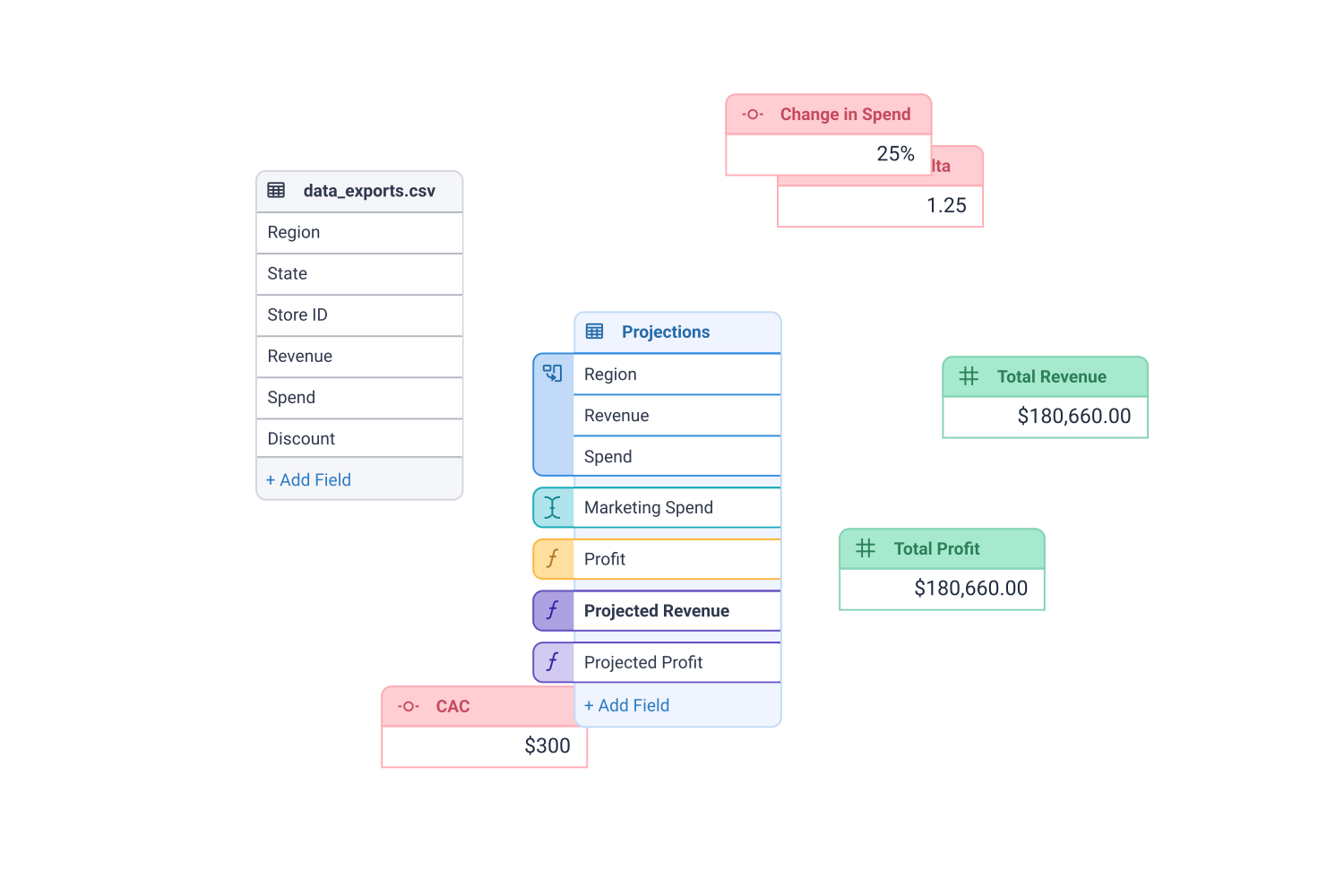
Our data is tabular, but greater than the sum of our sheets. A comprehensive visual language helps explain both the structure of the model, and the data the model produces.
This is a dense UI by design. It's of critical importance that we provide helpful context for each component of the model we visualize, as well as any datapoint within the view that we allow our authors to interact with.
Our modeling UI brings together the overall structure of the model, the tabular data it produces, as well as the scenarios and their output. The primary goal of this layout is to reduce time-to-visualization and to encourage exploration and experimentation by our Authors.
The Modeling View
Once our Author has modeled out the decision they need to make, it's time to game out the options available. In scenario planning this usally means changing some parameters and seeing what might happen.
There's huge opportunity during this phase to invite new users into the process. The goal here is to bring subject matter experts, executives and other stakeholders into the process by allowing automatic visual comparison of scenarios and allowing instant experimentation and comparison with new scenarios.
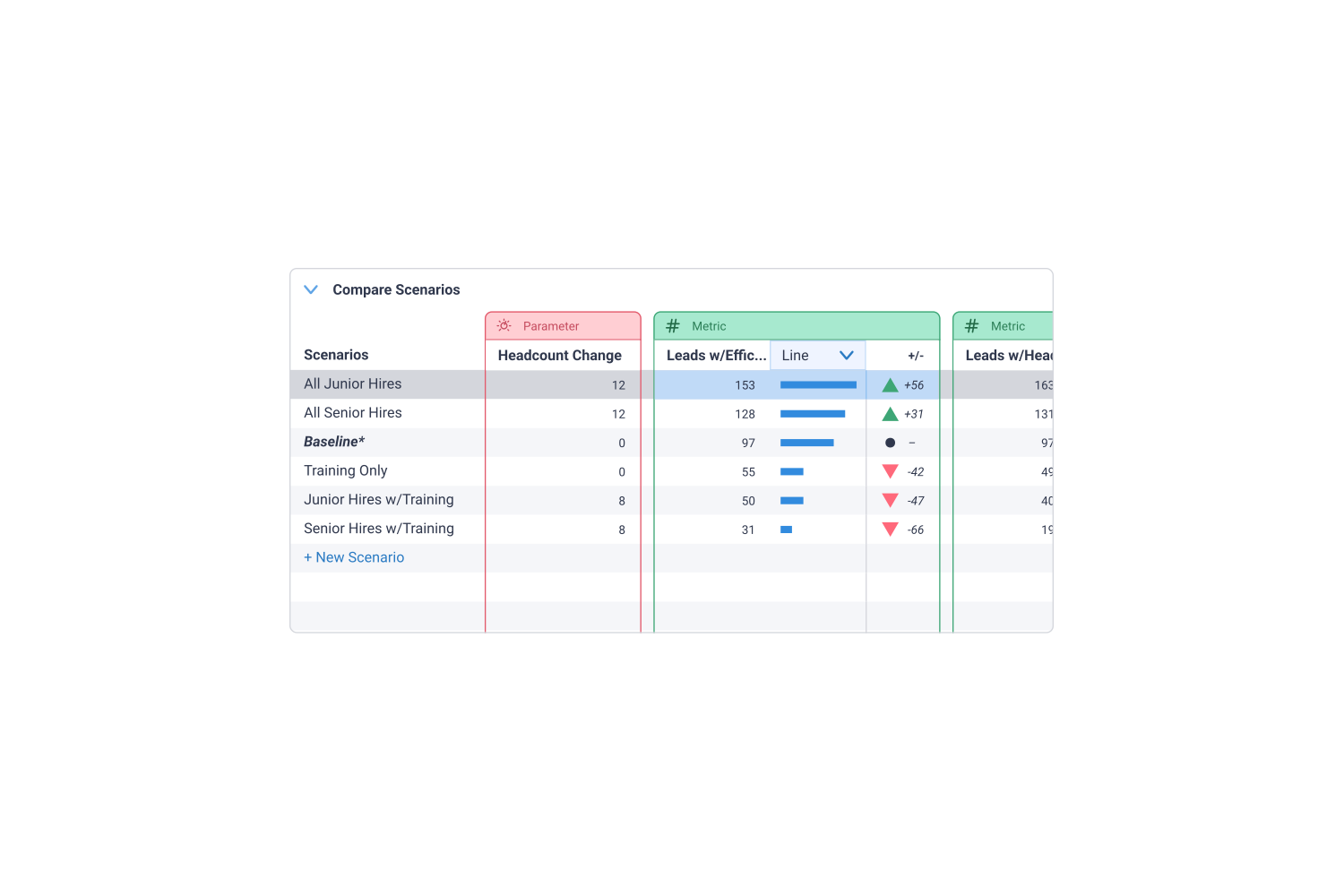
The main goal here is find the best way forward, so central to this view is encouraging the user to filter, curate, sort and highlight the options that are the most (or least) promising.
Scenarios are easily compared based on the metrics we created in the model view. Sort any way you like, show only the most relevant metrics or parameters and build a clear narrative.
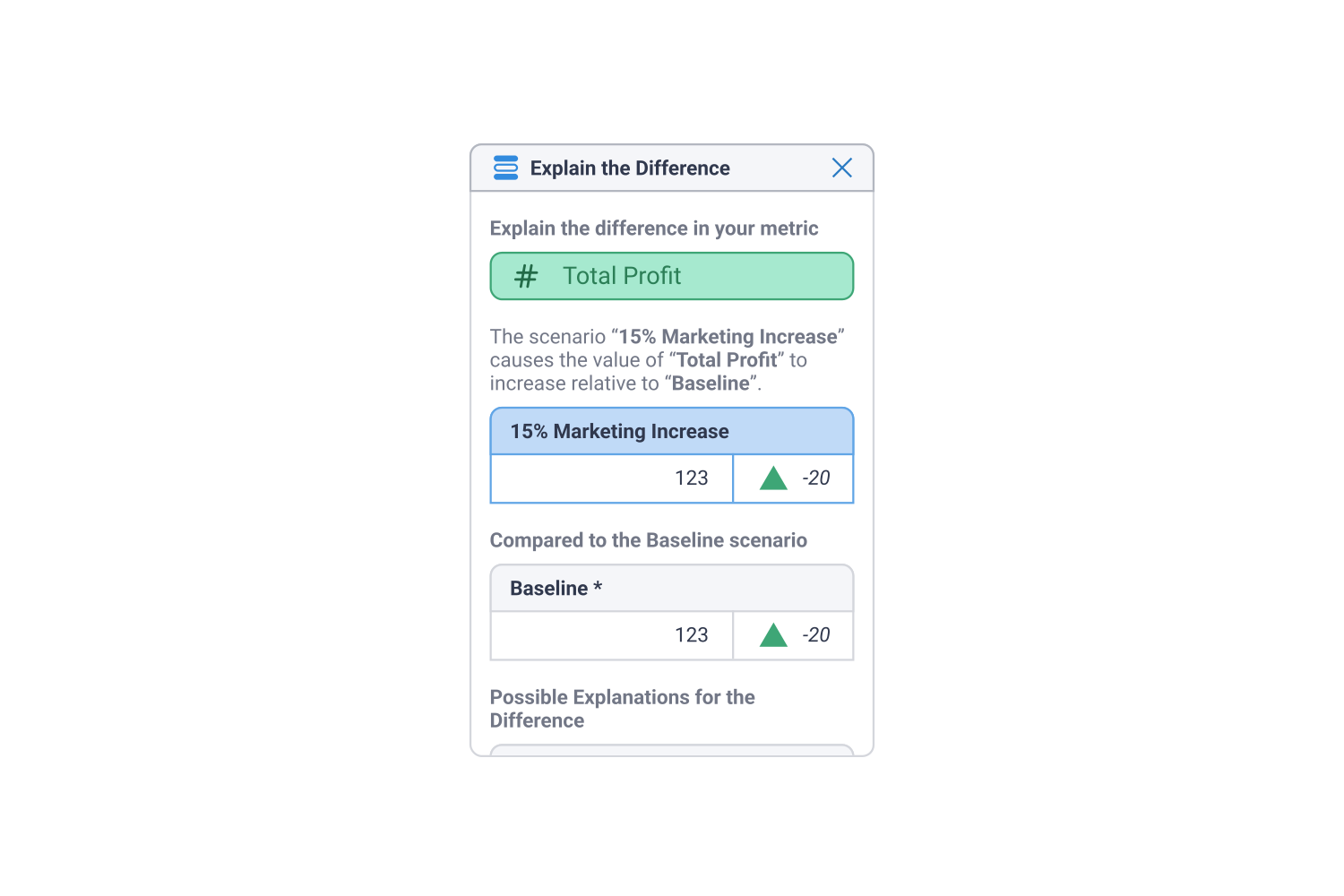
Sure, you can see the differences between scenarios, but you can also explain why they are different. Select any measure of any scenario and you are instantly presented with an analysis of the difference from your baseline, important drivers of that difference and other automatically surfaced context.
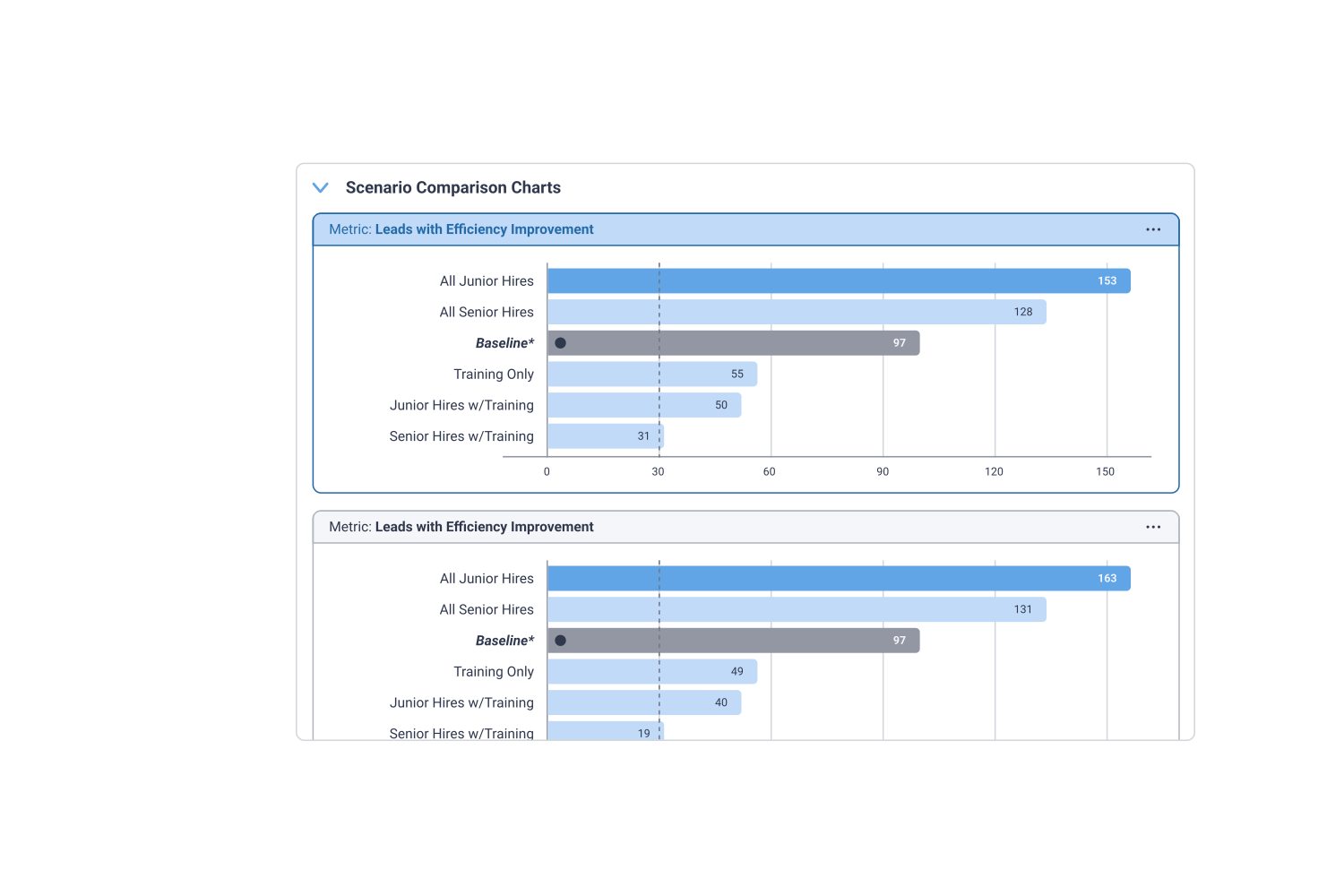
We started off by identifying a schema for scenario planning. We optimized the UI for building parameterized models, and easily generating scenarios. The payoff is instant, procedurally generated visualizations optimized for comparing across scenarios.
A quick model, with instant visualizations for timely, informed decisions.
The Compare Scenarios View
Tableau Scenario Planner is an entirely new product for Tableau. While at Tableau, I led the design (as the only designer most of that time) for this product from the earliest stages.
We interviewed analysts, data scientists and dashboard consumers to sharpen our idea of what the essential features of a scenario planning tool were. We also discovered some major pain points with our subjects' existing solutions.
The upcoming release of Tableau Scenario Planner was announced and drew significant positive feedback at Tableau Conference 2022.
